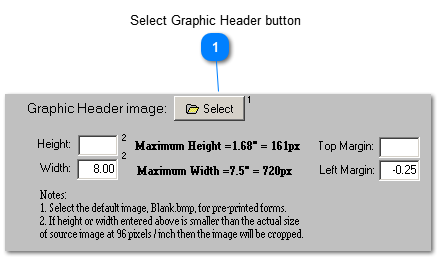
Use the button to locate the graphic file that contains the image you wish to use.
The graphic image file type must be 'bitmapped' (filename.bmp). Other graphic formats such as jpg, jpeg and png will notwork. These, and any other graphic image type other than bitmapped must first be converted to bmp. You can use the Paint application that is shipped with all versions of Windows to accomplish that by simply loading your file and saving as bitmapped (.bmp). Paint can also be used to modify the image, including its size, which should fit the parameters shown in the screenshot above.
The size of the graphic image should be the same as the area that it is intended to cover.
If you need assistence in creating or configuring your graphic file, our graphic artist we can assist you for a small fee.