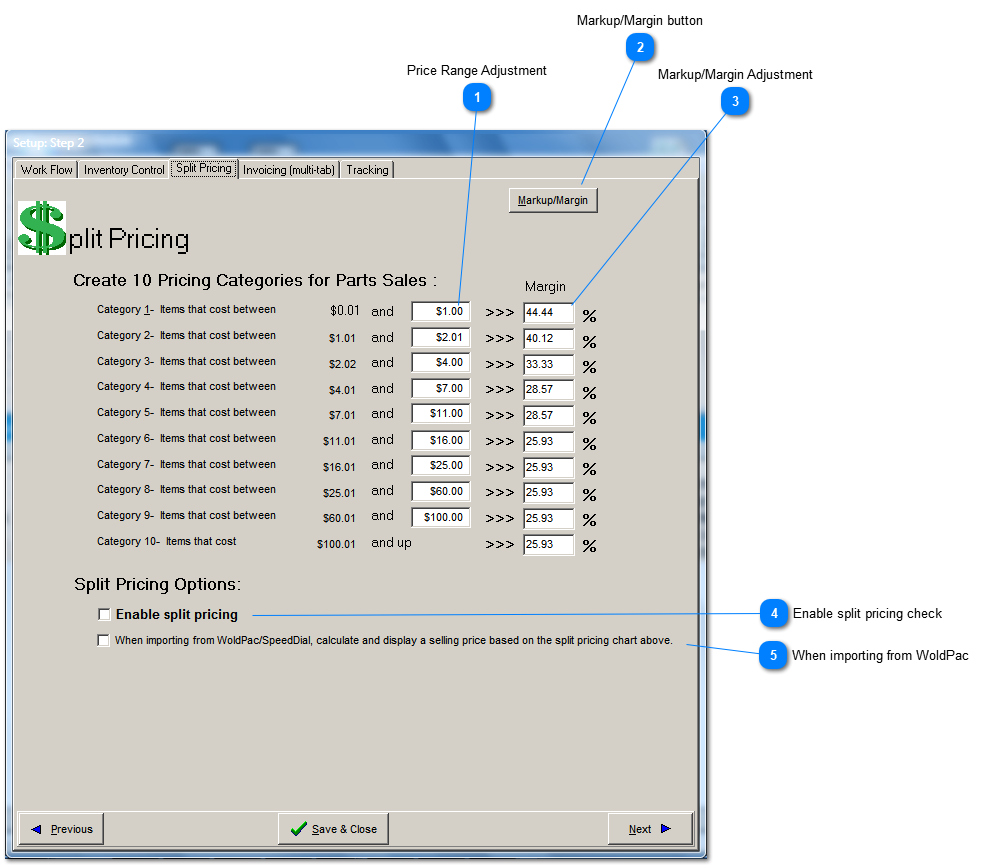
Split pricing is used to take advantage of the fact that price resistence on lower priced items is generally less than on higher priced items. In other words, a consumer is much less likely to complain about paying triple your cost on a $10 item, compared to $500 item. Therefore, if you price all items with the same profit markup or margin, you are leaving money on the table for you low cost items.
Price Range Adjustment
Tip: The price range should never decrease from the top of the chart to the bottom. If you don't want to use all ten available categories, set the lower slots equal to, not less than the slots above.
You have two ways to calculate your profit margin and can switch between them at any time. The profit margin graph that appears at the bottom of the Repair Order tab will also follow the choice you make here.