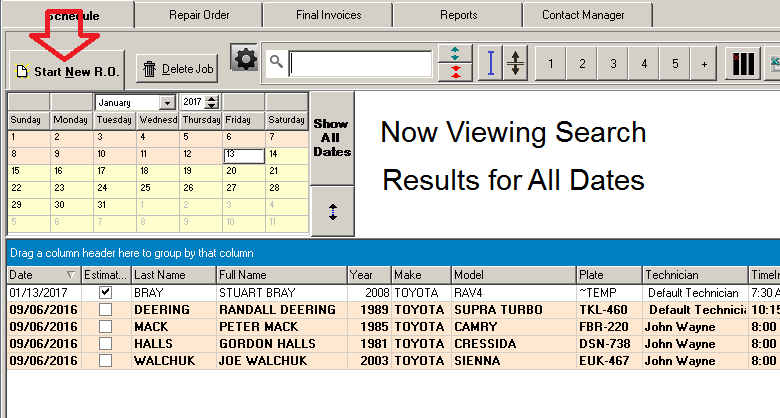
Repair orders are created by first clicking 'Start New Repair Order', on the Schedule tab.
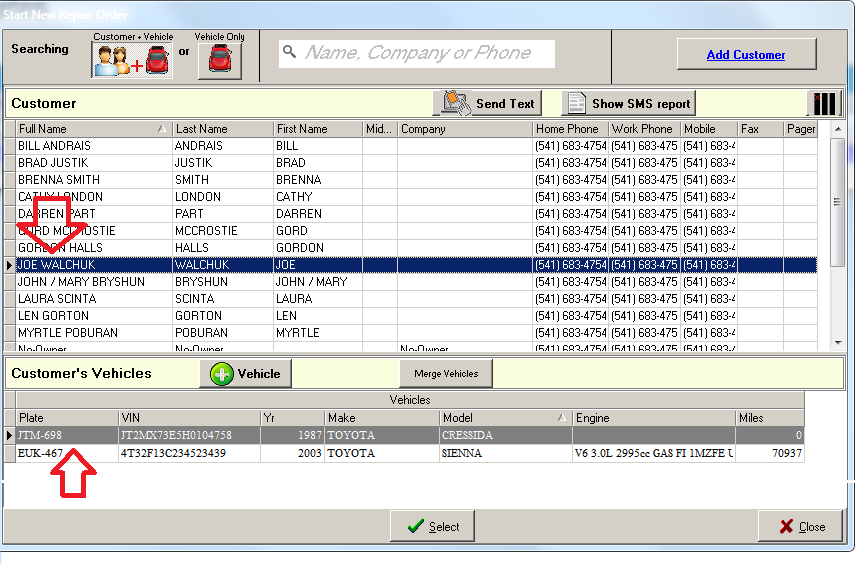
Then you highlight a customer in the Start New Repair Order windows, and one of the customers vehicles...
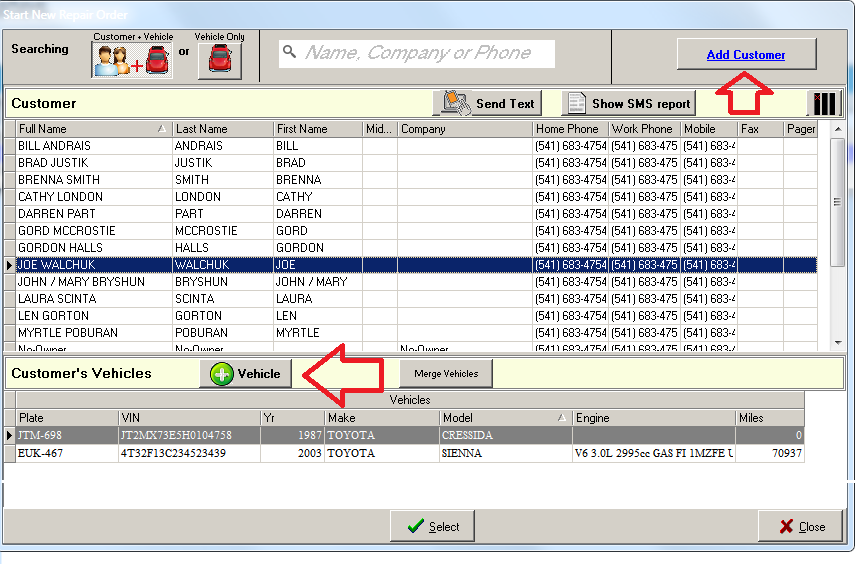
Or, add a new vehicle for that customer, down below. Or a completely new customer and vehicle, by clicking the Add Customer button at top right.
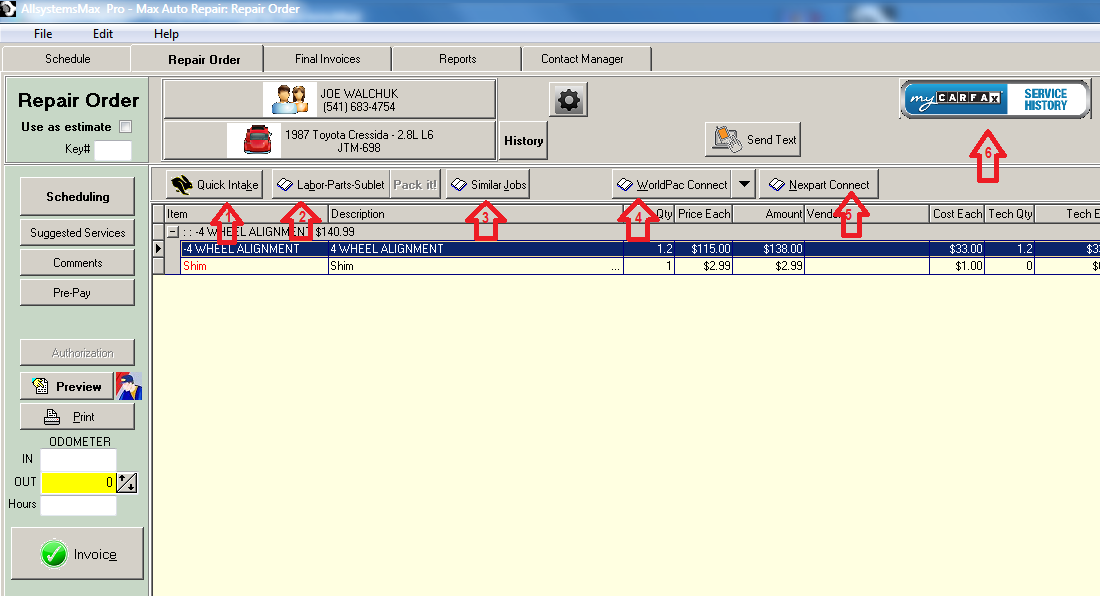
When you click your selection or add a new vehicle or both new customer and vehicle, the repair order tab will open, ready to accept line items,which you can insert in various ways.
For example:
Click the Quick Intake button to quickly insert customer complaints in their own words, or your own summary of what the job requires.
Click the Labor-Parts-Sublet button on the Repair Order tab, and then select from the list or else click the New! button.
Post labor, parts and sublet from Similar jobs, that is, previously invoiced jobs on similar year make and model vehicles. In this case you simply pull items from old invoices.
Post parts from WorldPac SpeedDial catalog, if you have an account with WorldPac. If not you may want to set one up here. AllsystemsMax is fully integrated with WorldPac SpeedDial online parts catalog and ordering.
AllsystemsMax is also fully integrated with any Nexpart enabled parts vendor. Labor times are also included by some vendors for a small additional monthly fee in the range of $0 to $25.
Include services from history previously recorded by myCarfax at any service facility, not just your own, as in #3. Similar Jobs.